
Table of Contents
If you’ve searched for a service or business in your city, you’ve likely seen the Google Map Pack—the box at the top of local search results showing three businesses with their location, ratings, and contact info.
Ranking in the Google Map Pack is a game-changer for local businesses because it drives visibility, traffic, and qualified leads directly from search results. Unlike standard organic listings, the Map Pack is prominently displayed and trusted by users looking for immediate solutions.
In this guide, we’ll walk you through how to rank in the Google Map Pack step-by-step, share actionable strategies, and show how service-based businesses can dominate local search results.
What Is the Google Map Pack?
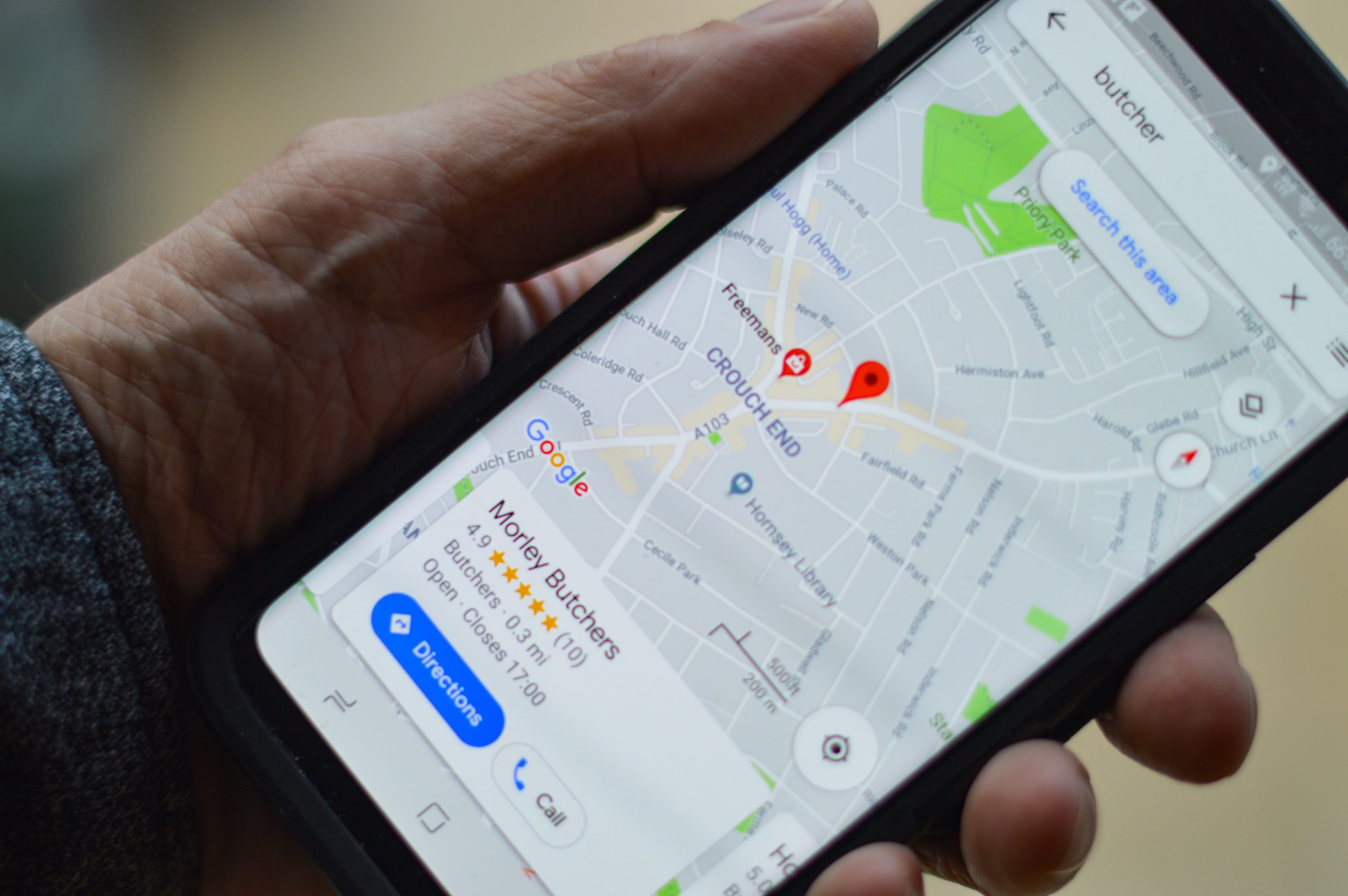
The Google Map Pack, sometimes called the “local 3-pack,” is a set of three local business listings displayed above organic search results in Google. Each listing shows:
- Business name
- Star rating and number of reviews
- Address
- Phone number
- Website link
Appearing here significantly improves click-through rates because users often choose businesses directly from the Map Pack rather than scrolling through organic results.
Related: Learn more about SEO strategies to improve your Map Pack visibility.
Why the Google Map Pack Matters
Businesses in the Map Pack enjoy:
- Higher visibility: Appearing above organic results catches more attention.
- Increased traffic: Direct clicks to your website or calls to your business.
- Higher trust: Ratings and reviews give credibility.
- Better conversions: Local searches often indicate high purchase intent.
In competitive cities like Lagos, Miami, or New York, ranking in the Map Pack can give small businesses an edge over bigger brands.
Step 1: Optimize Your Google Business Profile
Your Google Business Profile (GBP) is the foundation of Map Pack rankings.
Key elements to optimize:
- Accurate business name, address, and phone number (NAP)
- Business category and subcategory
- High-quality photos
- Detailed business description with keywords
- Correct hours of operation
Businesses that neglect their GBP often fail to rank in the Map Pack. Consistency is crucial, especially if you have multiple locations. Learn more in our guide on how to optimize multiple branches of your business.
Step 2: Focus on Reviews
Google reviews are one of the strongest signals for Map Pack rankings. Both quantity and quality matter.
Best practices for reviews:
- Encourage satisfied customers to leave reviews
- Respond to every review professionally
- Highlight relevant services in responses
- Avoid fake or incentivized reviews
For service-based businesses, reviews not only impact ranking but also trust and conversions. Learn more in our post do Google reviews help SEO.
Step 3: Maintain NAP Consistency Across the Web
Google cross-checks your business name, address, and phone number across:
- Directories (Yelp, Foursquare, TripAdvisor)
- Social media pages
- Your website
Inconsistencies can prevent you from ranking. For example, “123 Main St” vs “123 Main Street” can confuse Google. Ensuring consistency helps your local SEO performance and Map Pack visibility.
Related: Check our guide on local SEO statistics for small businesses to understand why NAP consistency is critical.
Step 4: Use Local Keywords Strategically
Incorporate location-based keywords throughout your GBP and website:
- Business description
- Service pages
- Blog content
Examples:
- “Plumbing services in Coral Gables”
- “SEO agency in Lagos”
For multi-location businesses, this aligns with SEO localization strategies, helping each branch rank locally.
Step 5: Build Local Citations and Backlinks
Citations are mentions of your business online. Local backlinks and citations improve authority and trust with Google.
- Submit to local directories and niche-specific sites
- Get backlinks from community websites or industry blogs
- Include your GBP link in profiles to reinforce relevance
Step 6: Optimize Your Website for Local SEO
Your website supports your Map Pack ranking. Google checks:
- Mobile-friendliness
- Fast loading speed
- Location pages for each service area
- Schema markup for services and reviews
Integrating schema markup benefits improves relevance and helps Google display rich results, boosting Map Pack chances.
Step 7: Add Photos and Videos
Visual content signals activity and quality. Google prefers profiles with:
- Business photos of interiors/exteriors
- Product/service images
- Video walkthroughs of services or facilities
Consistently uploading media can improve GBP engagement and increase Map Pack ranking potential.
Step 8: Engage on Google Posts
Google Posts are mini-updates published to your GBP. They can:
- Promote services or events
- Highlight special offers
- Add fresh content for Google to index
Active posts signal that your business is engaged and help boost visibility.
Step 9: Monitor Insights and Performance
Google provides insights to track:
- How customers find your business
- Search queries driving Map Pack clicks
- Number of calls, website visits, and direction requests
Monitoring these metrics helps refine your local SEO strategy and maintain Map Pack dominance.
Step 10: Advanced Tactics for Multi-Location Businesses
For businesses with multiple branches, consider:
- Separate GBP for each location
- Location-specific landing pages
- Localized reviews
- Schema markup per branch
This strategy aligns with our guide on how to optimize multiple branches of your business and ensures all locations rank effectively.
FAQs About Google Map Pack
What is the Google Map Pack?
It’s the three local business listings that appear above organic results in Google search and Maps.
How can my business rank in the Map Pack?
Optimize your GBP, collect reviews, maintain NAP consistency, use local keywords, and implement local SEO strategies.
Do Google reviews impact Map Pack rankings?
Yes. Review quantity, quality, and frequency are key ranking signals.
Can service-based businesses dominate the Map Pack?
Absolutely. With proper GBP optimization, schema markup, and local content, service-based businesses can consistently appear.
Is it necessary to have a website to rank in the Map Pack?
While a website helps, it’s not strictly required if your GBP is complete and optimized.
Conclusion
Ranking in the Google Map Pack is essential for local and service-based businesses. By following these steps—optimizing your GBP, collecting reviews, building citations, and using local SEO strategies—you can dominate local search results and attract high-quality leads.
For expert help in ranking your business in the Map Pack and boosting local SEO, check out our SEO services for local businesses to get started today.


 English